


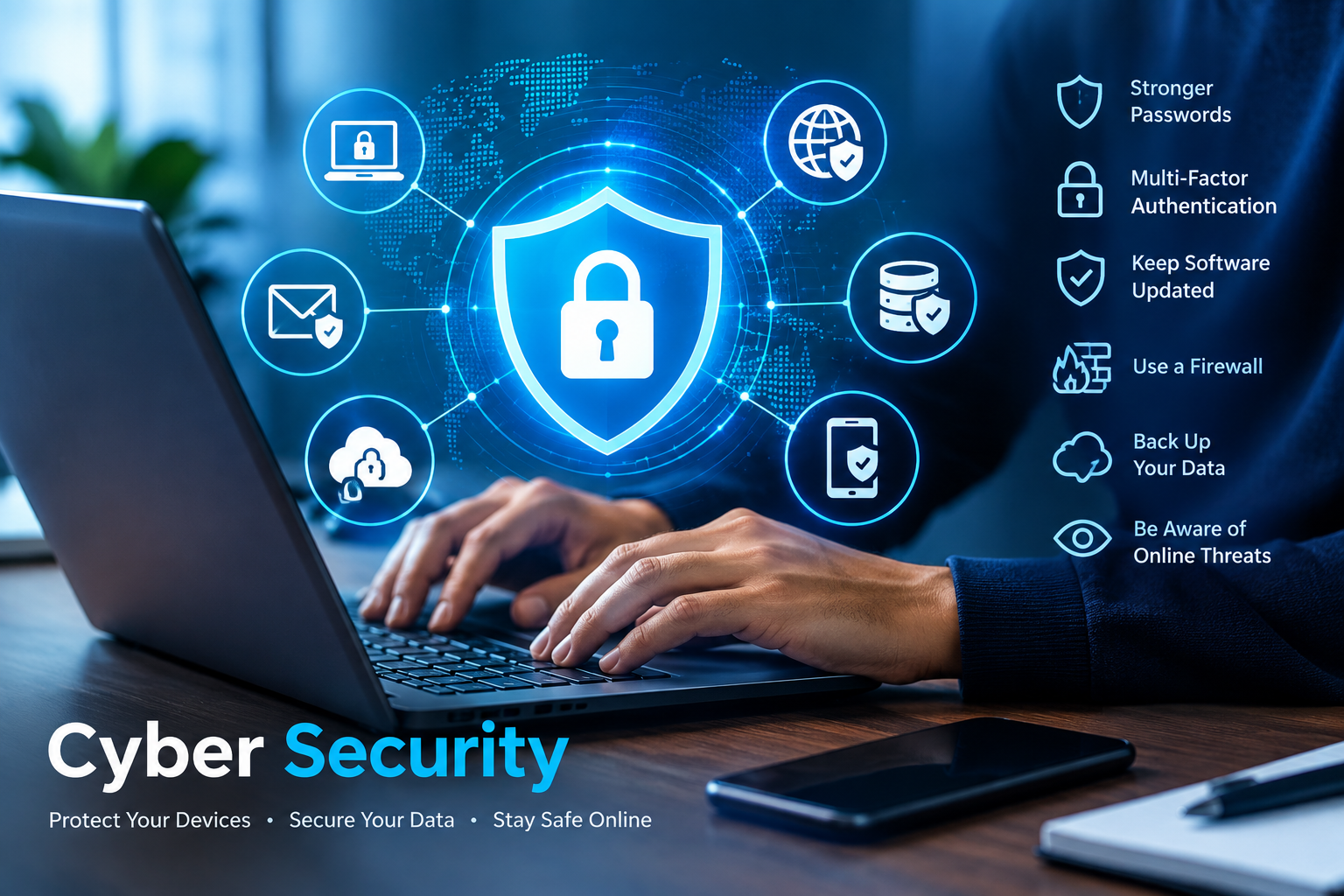
The internet has become an important part of everyday life. People use online services for communication, education, shopping, banking, work, entertainment, and storing personal information. As digital activity grows, protecting accounts, devices, networks, and data has become increasingly important.
Cyber Security refers to the practices, technologies, and processes used to protect digital systems and information from unauthorized access, damage, disruption, or misuse. It is not only a concern for large companies or technology professionals. Individuals, families, schools, small businesses, and organizations can all benefit from basic security practices.
This guide explains what Cyber Security means, common digital threats, practical ways to protect yourself, and some of the limitations you should understand when creating a safer digital environment.
What Is Cyber Security? 
Cyber Security is the protection of computers, smartphones, networks, applications, online accounts, and digital information from security threats.
Security can involve several areas, including:
- Device security: Protecting computers, phones, tablets, and other connected devices.
- Network security: Protecting networks from unauthorized access and malicious activity.
- Data security: Preventing sensitive information from being accessed, changed, lost, or exposed without authorization.
- Application security: Reducing weaknesses in software and online applications.
- Account security: Protecting usernames, passwords, and authentication methods.
- Cloud security: Protecting information and services hosted through cloud platforms.
Good security is usually based on multiple layers rather than a single tool. For example, a strong password can help protect an account, but combining it with multi-factor authentication provides another layer of protection.
Why Is Cyber Security Important?
Digital information can have significant personal, professional, and financial value. If an account or device is compromised, the consequences can include lost information, privacy problems, service disruption, or financial loss.
For individuals, security practices can help protect:
- Personal information
- Email and social media accounts
- Photos and documents
- Online shopping accounts
- Financial information
- Work-related files
- Mobile devices
For organizations, security can also help protect customer information, business systems, intellectual property, and essential services.
The goal is not to eliminate every possible risk. No security system can guarantee perfect protection. Instead, effective security reduces avoidable weaknesses and makes it harder for unauthorized people to access protected systems.
Common Cyber Security Threats
Understanding common threats makes it easier to recognize suspicious activity.
Phishing
Phishing is a form of social engineering in which someone attempts to persuade a person to provide sensitive information or take an unsafe action.
A phishing message may appear to come from a legitimate company, service, colleague, or other organization. It might ask the recipient to sign in, open an attachment, confirm information, or follow a link.
A useful habit is to avoid immediately responding to unexpected requests for sensitive information. Instead, verify the request through an official website or another trusted communication channel.
Malware
Malware is a general term for malicious software designed to perform unwanted or harmful actions.
Different types of malware can have different purposes. Some may attempt to steal information, interfere with devices, or gain unauthorized access.
Keeping software updated and obtaining applications from reputable sources can reduce some common risks.
Ransomware
Ransomware is malicious software that can prevent access to files or systems, commonly by encrypting data. Attackers may then demand payment in exchange for attempting to restore access.
Regular backups can be particularly important because they can provide another copy of important information if the original data becomes unavailable.
Password Attacks
Weak, reused, or predictable passwords can make accounts easier to compromise.
Using a different strong password for each important account reduces the potential impact if one password is exposed.
A password manager can also help users create and store unique passwords without having to memorize every password individually.
Unsecured Networks
Public or unfamiliar networks can present additional security considerations. Users should be cautious when accessing sensitive accounts from networks they do not control.
Using encrypted connections, keeping devices updated, and following the security recommendations of the service being used can help reduce unnecessary exposure.
How to Improve Your Cyber Security
You do not need to become a security expert to improve your everyday digital safety. Several basic practices can make a meaningful difference.
1. Use Strong and Unique Passwords
Create passwords that are difficult to guess and avoid using the same password across multiple important accounts.
A long passphrase made from several unrelated words can be easier to remember while still providing a strong password when created appropriately.
Most importantly, avoid using the same password for your email, financial accounts, social media, and other important services.
2. Enable Multi-Factor Authentication
Multi-factor authentication, often called MFA, requires an additional verification method beyond a password.
Depending on the service, this may involve an authentication application, security key, or another verification method.
MFA can provide an additional layer of account protection if a password is compromised.
3. Keep Software Updated
Software updates frequently include security fixes as well as new features and performance improvements.
Enable automatic updates when appropriate, particularly for operating systems, web browsers, applications, and security software.
Delaying important security updates can leave known weaknesses unaddressed.
4. Be Careful With Links and Attachments
Do not automatically trust every link, attachment, or message that reaches your inbox.
Before clicking, consider:
- Was I expecting this message?
- Does the sender address look legitimate?
- Is the request unusual or urgent?
- Does the destination website match the organization it claims to represent?
- Is the attachment necessary?
If something seems suspicious, verify it independently.
5. Back Up Important Data
Backups can help protect against accidental deletion, device failure, theft, and certain security incidents.
Important files can be backed up using appropriate external storage or reputable cloud services. For particularly important information, having more than one backup can provide additional resilience.
A backup should also be protected from unauthorized access.
6. Secure Your Home Network
Your home router is an important part of your digital environment.
Review the router manufacturer’s security recommendations and change default administrative credentials when necessary. Keep the router’s firmware updated when updates are available.
Using appropriate wireless security settings and avoiding unnecessary network features can also help reduce exposure.
7. Protect Your Mobile Devices
Smartphones contain large amounts of personal information, so they should be treated as important computing devices.
Use a screen lock, keep the operating system updated, install applications from reputable sources, and review application permissions regularly.
If a phone is lost, account recovery and remote-device management features may also become useful.
Cyber Security for Businesses
Businesses face many of the same basic risks as individuals, but an incident can affect employees, customers, systems, and business operations.
Organizations can establish security policies covering areas such as:
- Employee account security
- Password management
- Multi-factor authentication
- Software updates
- Data backups
- Access permissions
- Security awareness training
- Incident response
- Vendor and third-party risks
Use the Principle of Least Privilege
Users should generally receive only the access they need to perform their responsibilities.
For example, an employee who does not need administrative access to a particular system should not automatically receive administrator privileges.
Limiting unnecessary permissions can reduce the potential impact of a compromised account.
Train Employees Regularly
Technology alone cannot address every security problem.
Employees should understand how to identify suspicious messages, protect credentials, report unusual activity, and follow organizational security procedures.
Training should be practical and updated as new threats and technologies emerge.
Cyber Security Tools
Different tools address different security needs. Common categories include:
| Tool or Practice | Main Purpose |
|---|---|
| Password manager | Creates and stores unique passwords |
| Multi-factor authentication | Adds another verification layer |
| Antivirus/security software | Helps detect and respond to malicious software |
| Firewall | Controls certain network connections |
| Backup system | Provides additional copies of important data |
| Software updates | Fixes known software weaknesses |
| Encryption | Helps protect information from unauthorized access |
No single tool can provide complete protection. Security is generally stronger when multiple appropriate controls work together.
Benefits and Limitations of Cyber Security
Strong security practices can provide several benefits:
- Better protection of personal information
- Reduced exposure to common online threats
- Greater control over digital accounts
- Improved protection for business information
- Better resilience after device failure or data loss
However, Cyber Security also has limitations.
Security tools can make mistakes, require maintenance, and sometimes affect convenience or system performance. New vulnerabilities can also appear after software is released.
For this reason, security should be treated as an ongoing process rather than something that can be completed once and forgotten.
A Simple Cyber Security Checklist
Use this checklist to review your everyday security:
- Use unique passwords for important accounts.
- Enable multi-factor authentication where available.
- Keep operating systems and applications updated.
- Be cautious with unexpected links and attachments.
- Download software from reputable sources.
- Back up important files.
- Use a screen lock on mobile devices.
- Review account and application permissions.
- Secure your home Wi-Fi network.
- Learn how to recognize phishing attempts.
- Monitor important accounts for unusual activity.
- Follow official security guidance for important services.
How to Respond to a Suspected Security Problem
If you believe an account or device has been compromised, avoid ignoring the problem.
Depending on the situation, useful steps may include changing the affected password from a trusted device, enabling multi-factor authentication, reviewing account activity, removing unfamiliar access, updating software, and contacting the relevant service provider.
If sensitive information or a business system may have been affected, professional assistance may be appropriate.
For current guidance, consult trusted organizations such as the Cybersecurity and Infrastructure Security Agency (CISA) and the National Institute of Standards and Technology (NIST).
Frequently Asked Questions
What is Cyber Security in simple terms?
Cyber Security is the practice of protecting digital devices, accounts, networks, applications, and information from unauthorized access, damage, disruption, and other security threats.
Is Cyber Security only important for businesses?
No. Individuals also need basic security because personal accounts, smartphones, computers, photographs, documents, and online services can contain valuable or sensitive information.
What is the most important step for protecting online accounts?
There is no single solution that protects every situation. Using unique passwords together with multi-factor authentication is a strong starting point for many important accounts.
Can Cyber Security completely prevent attacks?
No security measure can guarantee that every attack will be prevented. Good security focuses on reducing risk, detecting problems, limiting their impact, and recovering when incidents occur.
Why are software updates important for security?
Software updates can include fixes for known security vulnerabilities. Installing legitimate updates promptly can therefore reduce exposure to weaknesses that have already been identified.
Conclusion
Cyber Security is an essential part of modern digital life. Whether you are using a smartphone for personal communication or managing information for a business, basic security practices can help reduce unnecessary risks.
Start with practical measures such as unique passwords, multi-factor authentication, regular software updates, secure backups, and careful handling of unexpected messages. As your digital activities become more complex, you can gradually add additional security controls.
The most useful approach is to treat security as an ongoing responsibility. Technology changes, new vulnerabilities appear, and online services introduce new features. Staying informed and following guidance from reputable security organizations can help you make better decisions about protecting your digital information.
Trusted External Resources
For additional information and current security guidance, consult:
- CISA — Cybersecurity Guidance
- NIST — Cybersecurity Framework
- FTC — Online Security
- Cybersecurity and Infrastructure Security Agency — Secure Our World
Friend, if you need a topic regarding artificial intelligence, click here to read it. https://kaskeymarketer.com/artificial-intelligence-how-ai-works/