


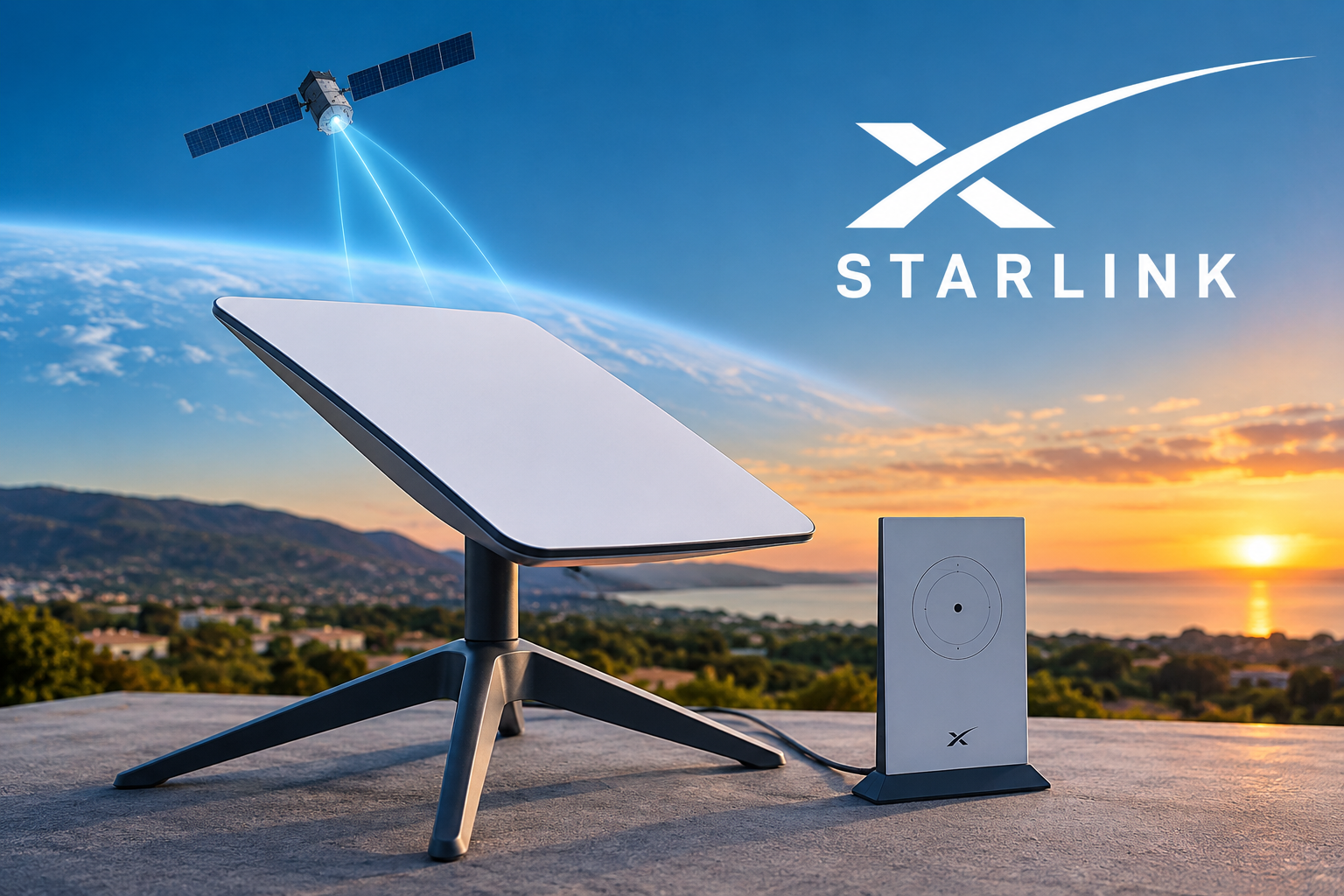
Reliable internet access is important for work, education, communication, entertainment, and everyday life. However, many rural and remote areas still have limited access to traditional broadband services. Starlink offers another option by using satellites in low Earth orbit to provide internet connectivity.
But how does this technology work? What equipment does it require, and what are its advantages and limitations?
This guide explains Starlink in simple terms and covers how the service works, its benefits, equipment, setup process, costs, limitations, and the situations where satellite internet may be a practical choice.
What Is Starlink?
Starlink is a satellite internet service operated by SpaceX. It uses a network of satellites in low Earth orbit to provide internet access to customers in supported locations.
Unlike traditional wired broadband, the service does not require a physical internet cable to reach every customer’s property. Instead, a specialized antenna communicates with satellites overhead, which connect the user to the wider internet.
Because service availability, equipment, and pricing can change, readers should check the official Starlink website for the latest information about plans and availability in their region.
also there another option you can read so that it can help you Internet how works,
there is an article about that Internet chlick here to read https://kaskeymarketer.com/artificial-intelligence-how-ai-works/
How Does Starlink Work?
The basic process behind Starlink is relatively simple.
First, your phone, computer, television, or another device connects to the Starlink Wi-Fi router. The router communicates with the outdoor antenna, which then communicates with satellites passing over the area.
Data travels between the antenna, satellites, and Starlink’s wider network before reaching the internet service or website you are accessing.
The satellites operate in low Earth orbit, meaning they are much closer to Earth than traditional geostationary communication satellites. This helps reduce the distance that data needs to travel and can provide lower latency than many older satellite internet systems.
Actual performance can vary depending on location, network conditions, weather, equipment, and obstructions around the antenna.
Why Does Starlink Use Low Earth Orbit?
Low Earth orbit is an important part of the technology behind the service.
Traditional satellite internet commonly relies on satellites positioned much farther from Earth. The greater distance can contribute to higher latency.
Starlink uses a large number of satellites in lower orbits. Since individual satellites move across the sky, the network can transfer connections between satellites as they move out of range and new satellites become available.
This approach is one reason satellite internet has become a more practical option for some users who do not have access to good terrestrial broadband.
What Equipment Does Starlink Require?
A typical installation includes several important components.
Satellite Antenna
The antenna communicates with satellites in orbit. It should be installed in a location with a suitable view of the sky.
Buildings, trees, mountains, and other obstructions can interfere with communication and may result in interruptions.
Wi-Fi Router
The router distributes the internet connection to devices inside your home or other location.
It allows devices such as laptops, smartphones, tablets, smart televisions, and other compatible equipment to connect to the internet.
Cables and Power Equipment
The antenna and router need appropriate cables and power equipment. The exact equipment can depend on the Starlink product and service package available in your region.
Mounting Equipment
Depending on the installation location, additional mounting hardware may be required.
Before purchasing accessories, check the current equipment recommendations provided by Starlink’s official support resources.
Benefits of Starlink
There are several reasons why satellite internet can be attractive to certain users.
1. Useful in Remote Locations
One of the main advantages is its potential usefulness in areas where traditional broadband infrastructure is limited.
Rural households, remote businesses, and other locations with few internet providers may have another connectivity option through satellite technology.
2. Does Not Depend Entirely on Local Cable Infrastructure
Traditional broadband usually requires physical infrastructure such as fiber, cable, or telephone lines.
Satellite internet uses an antenna to communicate with satellites instead, which can make it useful where installing new physical infrastructure would be difficult.
3. Lower Latency Than Older Satellite Systems
The lower orbit of the satellites can provide lower latency than many traditional geostationary satellite services.
This can make activities such as video calls, web browsing, and some online applications more practical than they were with older satellite technologies.
4. Supports Everyday Internet Activities
Depending on local network conditions, the service can support common activities such as browsing websites, online learning, video conferencing, streaming, and working from home.
However, actual performance is not identical everywhere and can change over time.
5. Expands Connectivity Options
Satellite internet can provide another option for communities and individuals that have limited access to terrestrial broadband.
This is particularly relevant in geographically challenging areas where building extensive cable infrastructure can be difficult.
Limitations of Starlink
Although Starlink can be useful, it also has limitations that potential customers should understand.
1. A Clear View of the Sky Is Important
The antenna needs an appropriate view of the sky.
Large trees, buildings, mountains, and other obstructions can interfere with the connection. Choosing the installation location carefully is therefore important.
2. Weather May Affect Service
Satellite communication can be affected by severe weather conditions.
Heavy rain, snow, or other challenging environmental conditions may influence performance. The effect can vary depending on the severity of the weather and local circumstances.
3. Equipment and Monthly Service Costs
Using the service requires compatible equipment and an ongoing subscription.
Prices vary by country, plan, taxes, promotions, and other factors. For that reason, it is better to check the current price for your location rather than relying on an outdated article.
4. Performance Can Vary
Internet performance can change because of network congestion, location, weather, equipment, and environmental conditions.
Users who require extremely consistent connectivity should compare satellite internet with other options available in their area.
5. Fiber May Be Better Where It Is Available
If reliable fiber-optic internet is already available at your home, it may offer advantages such as very low latency and a highly consistent wired connection.
For many users, the decision should come down to comparing the actual services available locally rather than assuming that one technology is always better.
Starlink vs. Traditional Internet
Different internet technologies have different strengths.
| Feature | Starlink | Fiber Internet | Mobile Internet |
|---|---|---|---|
| Technology | Low Earth orbit satellites | Fiber-optic cables | Cellular networks |
| Remote availability | Often useful | Depends on infrastructure | Depends on coverage |
| Outdoor antenna | Required | No | No |
| Latency | Generally higher than fiber | Generally very low | Varies |
| Installation | Equipment required | Wired installation | Usually simple |
| Weather impact | Can occur | Usually minimal | Varies |
| Availability | Depends on service area | Depends on local infrastructure | Depends on cellular coverage |
This table provides a general comparison. Actual results depend on the provider, location, plan, equipment, and local network conditions.
How to Set Up Starlink
Setting up the equipment can generally be completed by following the manufacturer’s instructions.
Step 1: Choose a Suitable Location
Look for an area with a clear view of the sky.
Avoid placing the antenna where nearby buildings, trees, or other structures can block its view.
Step 2: Install the Antenna
Position the antenna according to the instructions provided with your equipment.
For permanent installations, use appropriate mounting hardware and make sure the equipment is securely installed.
Step 3: Connect the Equipment
Connect the antenna, router, cables, and power equipment according to the instructions included with your system.
Step 4: Configure the Network
Use the recommended Starlink application or setup instructions to configure your connection and Wi-Fi network.
Step 5: Test Your Connection
After installation, connect several devices and test your internet connection.
If you experience repeated interruptions, check the antenna’s location and obstruction information through the available Starlink tools.
Tips for Better Starlink Performance
A few simple practices can help you get the most from your satellite connection.
Choose the Antenna Location Carefully
Installation location is important. Try to minimize obstructions between the antenna and the sky.
Check for Obstructions
If your connection frequently drops, use the available Starlink application features to identify possible obstructions.
Protect the Equipment
Keep cables properly installed and avoid unnecessary physical damage to the equipment.
Secure Your Wi-Fi
Use a strong Wi-Fi password and only share it with people you trust.
Check Current Service Information
Plans, pricing, equipment, and availability can change. Before making a purchase, consult the official Starlink website for information relevant to your country.
Who Should Consider Starlink?
Starlink may be worth considering for people who:
- Live in a rural or remote location
- Have limited wired broadband options
- Experience unreliable local internet
- Need another broadband option
- Have a suitable location for the antenna
- Want satellite-based internet connectivity
The service may be particularly useful when traditional internet providers cannot offer a reliable connection.
Who May Not Need Starlink?
Not everyone needs satellite internet.
If you already have access to reliable fiber-optic broadband at a reasonable price, your existing connection may provide better performance for your needs.
It may also be less suitable for properties where trees, buildings, mountains, or other obstacles make it difficult to maintain a suitable view of the sky.
The best decision depends on your location, budget, internet usage, and the alternatives available to you.
Is Starlink Good for Remote Work?
Satellite internet can be useful for remote workers who live in locations without reliable traditional broadband.
Depending on connection quality, users may be able to perform activities such as email, web browsing, cloud-based work, video meetings, and file transfers.
However, people whose work depends on highly consistent internet connectivity may want to keep a backup connection where practical.
Is Starlink Good for Streaming?
The service can support streaming when sufficient bandwidth and connection stability are available.
The experience can vary based on network conditions, location, service plan, and the number of people using the connection at the same time.
Households with several users should consider their total bandwidth requirements before choosing an internet service.
Is Starlink Good for Gaming?
Satellite internet can support many types of online gaming, but latency can be more variable than with a strong fiber connection.
Casual gamers may find the experience suitable, while competitive players who depend on consistently low latency may prefer fiber or another high-performance terrestrial connection when available.
Frequently Asked Questions About Starlink
What is Starlink?
Starlink is a satellite internet service operated by SpaceX. It uses satellites in low Earth orbit to provide internet connectivity in supported areas.
Does Starlink work everywhere?
No. Availability depends on the country, location, network capacity, regulations, and the specific service offered in an area. Check the official website for current availability.
Does Starlink require a satellite dish?
The service generally uses a specialized antenna to communicate with satellites. The exact hardware can vary depending on the product and service.
Can bad weather affect Starlink?
Yes. Severe weather can sometimes affect satellite communication and internet performance. Proper installation and an appropriate antenna location can help reduce avoidable connection problems.
Is Starlink better than fiber internet?
Not necessarily. Fiber is generally an excellent option where it is available. Starlink can be more useful in places where reliable wired broadband is unavailable or difficult to obtain.
Conclusion
Starlink provides an important alternative to traditional internet connectivity by using a network of low Earth orbit satellites. For people living in rural or remote locations, it can offer an internet option where traditional broadband services may be limited.
However, potential users should consider the complete picture before choosing the service. Equipment costs, subscription prices, antenna placement, weather, network conditions, and local availability can all affect the experience.
If you are comparing internet services, consider Starlink alongside fiber, cable, fixed wireless, and mobile broadband available in your area. The best option is the one that provides a suitable balance of reliability, performance, availability, and cost for your particular needs.
For the most accurate and current information, always check the official Starlink website and Starlink Help Center before making a purchase or changing your service.